Try our SEO tool: https://harborseo.ai/
Work with us: https://calendly.com/incomestreamsurfers-strategy-session/seo
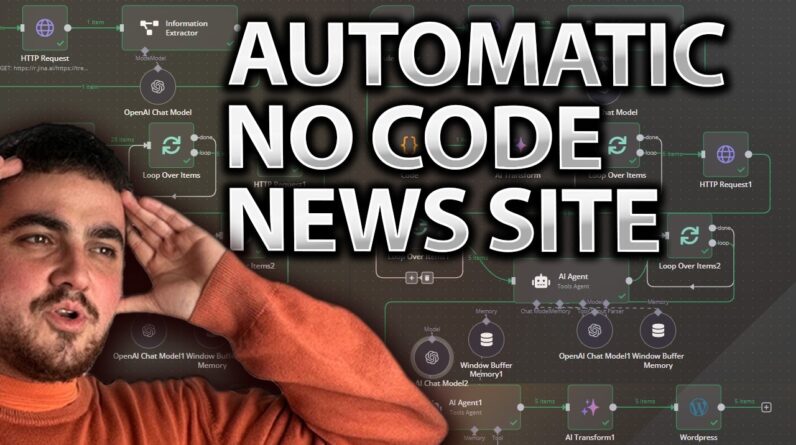
Learn how to build an automatic news blogger for WordPress using n8n, Jina, and o3‑mini—no coding required! In this 23‑minute tutorial, you’ll set up a workflow that pulls trending topics from Google Trends via RSS, scrapes and transforms the data, summarizes it using AI, and automatically posts fresh news articles to your WordPress site. Follow along for step‑by‑step instructions, troubleshooting tips, and customization ideas to supercharge your content automation.
If you enjoy this tutorial, please LIKE, COMMENT, and SUBSCRIBE for more no‑code and AI automation videos. Hit the BELL ICON for updates!
Chapters:
00:00 – 02:00 | Introduction & Overview
• Welcome and explanation of the automatic news blogger concept using n8n, Jina, and o3‑mini.
• Overview of pulling trending topics from Google Trends RSS feeds.
02:00 – 04:00 | Setting Up the Google Trends RSS Feed
• How to select your region (e.g., United States) and export the RSS feed from Google Trends.
• Reviewing the list of trending topics to be used as input.
04:00 – 06:00 | Configuring n8n Trigger & HTTP Request
• Setting up a daily trigger in n8n and configuring the HTTP request node (with API key and cURL import) to fetch the RSS feed data.
• Testing the API response to ensure correct data retrieval.
06:00 – 08:00 | Data Extraction & JSON Transformation
• Using an advanced AI information extractor node to convert raw RSS data into clean JSON (extracting news item titles and links).
• Transforming and splitting the disorganized list into individual topics.
08:00 – 10:00 | Looping & Scraping with Jina
• Setting up loops in n8n to process each trending topic individually.
• Configuring the s.gina node to search Google for each topic and scrape the top five results.
10:00 – 12:00 | Summarizing Data with o3‑mini & AI Agent Integration
• Integrating o3‑mini to summarize the scraped data into detailed JSON summaries.
• Using an AI agent with memory to compile context-rich summaries that form the basis of your news articles.
12:00 – 15:00 | Preparing Final Content & WordPress Integration
• Mapping the summarized data into a writing prompt that formats a complete news article (with headlines, key points, and H2 headers).
• Configuring the WordPress API node (using application passwords and API credentials) to automatically create and post articles.
15:00 – 18:00 | Workflow Optimization & Customization
• Advanced data transformation techniques, cleaning up JSON output, and adjusting loop settings for efficient batch processing.
• Customizing content formatting (e.g., cleaned markdown vs. plain text) and adding optional nodes for sentiment analysis or image scraping.
18:00 – 20:00 | Testing, Debugging & Troubleshooting
• Running end‑to‑end tests of the workflow and reviewing the published posts on WordPress.
• Troubleshooting common issues such as missing tokens or JSON formatting errors.
20:00 – 23:00 | Recap, Future Enhancements & Conclusion
• Recap of the complete workflow from RSS extraction to WordPress post creation.
• Discussion on potential future enhancements and customization ideas (e.g., adding featured images, key point widgets).
• Final thoughts, invitation to comment for a downloadable template, and a call‑to‑action to subscribe.
Keywords & SEO Tags:
n8n tutorial, WordPress automation, automatic news blogger, no‑code, Jina, o3‑mini, Google Trends RSS, news automation, AI summarization, WordPress API, trending topics, content automation, data extraction, no‑code workflow
Happy automating, and see you in the next video!