Wanna build a website but you’re not techy?
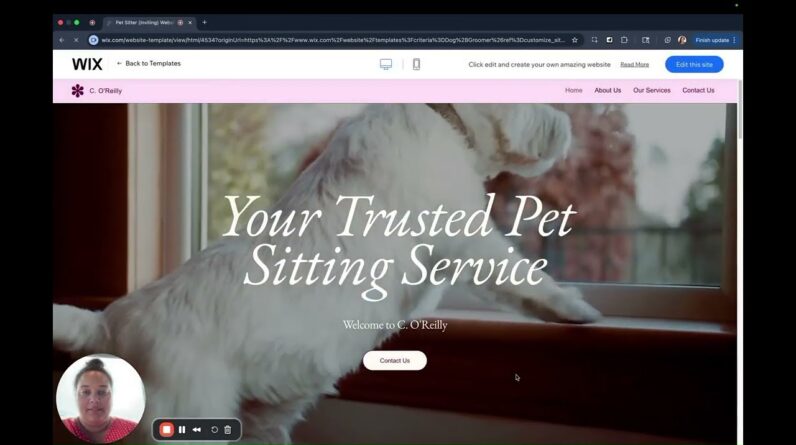
No worries, here is a quick video that helps you learn exactly how to create your custom website in under 20 minutes using a handy dandy professional website called Wix.
Follow along to create your very own website at no cost!
I’m walking you through a simple process of creating a website for free using one of my favorite platforms, Wix.com. This isn’t a sponsored video;
I just love Wix. It was the platform I built my first website for free for my first business (the site is actually still live lol), a brick & mortar daycare, back when I knew nothing about business, marketing or websites, so I know its a great spot for beginners, and it’s where I kept my website for my daycare for the 3 years I ran it until I closed it so I could go full time teaching ppl how to market their biz organically and enjoy it.
So come on in and let’s do this! People need your help, so let’s get your knowledge out there! Don’t let the barrier of cost keep you from going out into the world and making a difference in others’ lives!
What You’ll Learn in This Video:
– Intro to Wix: Understand what Wix is and why it’s a popular choice for building websites without coding.
– Creating an Account: Step-by-step instructions on how to sign up for a free Wix account and navigate the platform.
– Choosing a Template: Explore a variety of customizable templates that fit different styles and industries, allowing for easy personalization.
– Using the Editor: Learn how to use the drag-and-drop editor, including how to add and arrange elements like text, images, and videos.
– Customizing Your Site: Discover techniques to modify colors, fonts, and layouts to reflect your brand’s identity and vision.
– Adding Functionalities: Introduction to Wix’s App Market and how to integrate features like contact forms, galleries, and social media links.
– Mobile Optimization: Tips for ensuring your website is mobile-friendly and looks great on all devices.
– Publishing Your Site: A guide on how to preview and publish your website, making it live for the world to see.
– SEO Basics: An overview of essential SEO practices to help your site rank better in search engines.
Why You Should Care:
– No Technical Skills Required: The video empowers you to create a website without needing any coding or web design experience.
– Cost-Effective Solution: Learning to build a website for free on Wix saves you money compared to hiring a professional web designer.
– Personal Branding: A well-built website can enhance your personal or business brand, making you more credible in the digital space.
– Flexibility and Control: Building your own site gives you complete control over its design and content, allowing you to adapt it as needed.
– Online Presence: Establishing a website helps you expand your reach and connect with your audience effectively.
– Skill Development: Acquiring website-building skills can open up new opportunities, both personally and professionally.
By following along with this video, you’ll have the tools necessary to create a stunning website that stands out!