Get 10% Off Web Hosting: https://darrelwilson.com/hostinger-offer
Get Novamira Free: https://www.darrelwilson.com/novamira ( Code Darrel10 Gives 10% off)
Try Solace PRO: https://pro.solacewp.com/
Skill For Claude: https://drive.google.com/file/d/1gbo-LP3W1Ar2ttFJ4QPWtkz8Bt9ygogo/view?usp=sharing
Learn how to use **AI with WordPress in 2026** in this complete WordPress + AI tutorial. I’ll show you how to use **Claude AI with WordPress** to build complete websites, create and design WordPress pages, work with WordPress plugins, and use artificial intelligence to speed up almost every part of the website-building process.
Prompts And Links Mentioned In This Tutorial
https://share.evernote.com/note/6d86932b-d409-7dd7-b87d-c31eec6863bb
11labs Signup: https://darrelwilson.com/11labs
If you’ve been wondering how to **build a WordPress website with AI**, this tutorial walks you through the entire process step by step. Instead of simply asking AI to generate random HTML, you’ll learn how Claude AI can actually work alongside WordPress to help you create real websites, edit pages, understand your WordPress setup, and interact with plugins.
In this tutorial, you’ll learn how to:
✅ Use **Claude AI with WordPress**
✅ Build a complete **WordPress website using AI**
✅ Create new WordPress pages with AI
✅ Design and customize existing WordPress pages
✅ Use AI to help configure and manage WordPress plugins
✅ Ask Claude to perform WordPress-related tasks
✅ Use AI to improve your website design and workflow
✅ Create websites faster without manually doing everything
✅ Use Claude AI as a WordPress website-building assistant
✅ Understand how AI is changing WordPress development in 2026
TimeStamps
00:00 Intro – WordPress + AI in 2026
01:25 What Are MCPs & Claude Skills?
03:35 Getting Web Hosting & Installing WordPress
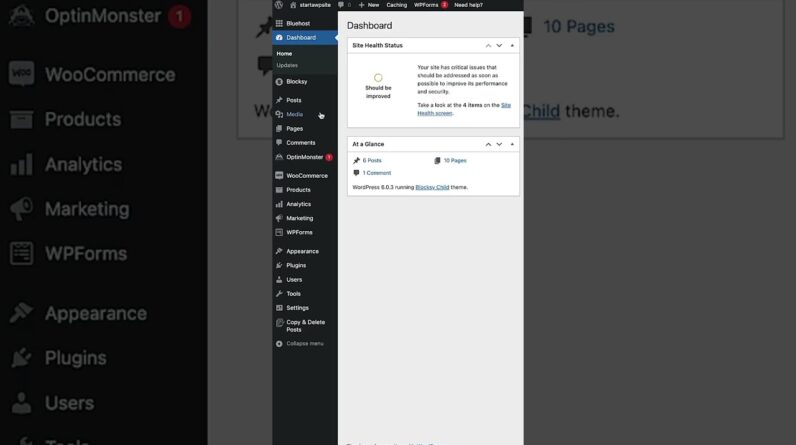
10:00 WordPress Dashboard Overview
13:18 Choosing a WordPress Theme
14:02 Importing a Starter Website
15:55 Setting Up Elementor
16:32 Elementor Beginner Tutorial
28:00 Customizing Your Website With AI Images
31:21 Connecting Claude AI to WordPress
34:02 Claude MCP Connection Complete
35:01 Installing Claude Skills
38:14 Editing WordPress With Claude AI
39:15 Creating Pages & Mega Menus With AI
42:44 Creating Blog Posts & SEO Content With AI
44:23 Building a Fully AI-Generated WordPress Website
45:26 Generating the Website Design With AI
47:42 Creating the Website With Claude Design
49:09 Exporting the AI Website to WordPress
50:08 Preparing WordPress for AI Conversion
51:47 Converting HTML Into Native Elementor
54:04 Importing the HTML Website With Claude
55:27 Fixing Elementor Layout Issues
57:02 Creating the Header & Footer
58:24 Fixing Your Website With Screenshots + AI
1:00:37 Creating Additional Website Pages
1:02:15 Advanced AI + Elementor Workflow
1:04:02 Creating Mega Menus & Popups With AI
1:06:47 Final Thoughts – WordPress + AI
One of the biggest changes happening to WordPress is the ability for AI tools like Claude to do more than simply generate text or code. AI can now become part of your actual WordPress workflow.
You can describe the website or page you want, give Claude instructions, and use AI to help create layouts, modify content, configure functionality, work with plugins, troubleshoot problems, and make changes across your WordPress website.
This makes WordPress website creation much faster for beginners, freelancers, web designers, agencies, and developers.
Whether you want to create a business website, portfolio, landing page, blog, client website, or another type of WordPress site, this tutorial will show you how to combine **WordPress and AI** into one practical website-building workflow.
### WordPress + AI in 2026
AI website builders are becoming increasingly powerful, but WordPress still gives website owners something extremely important: control.
By combining **WordPress with Claude AI**, you get the flexibility and ecosystem of WordPress together with the speed and automation of modern artificial intelligence.
That means you can still use WordPress themes, plugins, hosting, SEO tools, ecommerce plugins, page builders, and other WordPress features while using AI to make the website-building process significantly easier.
This tutorial is designed for:
• WordPress beginners
• Web designers
• Freelancers
• WordPress developers
• Digital agencies
• Business owners
• Bloggers
• Anyone interested in AI website building
🔥 **Topics Covered:**
WordPress AI tutorial, Claude AI WordPress tutorial, how to use Claude with WordPress, WordPress website tutorial 2026, AI WordPress website builder, build a website with AI, Claude website builder, AI web design, WordPress automation, AI WordPress plugins, Claude AI website design, WordPress for beginners, AI website tutorial, and how to build a WordPress website with artificial intelligence.