👉 Get Hostinger here: https://darrelwilson.com/hostinger-aib
My link automatically applies an additional discount.
Checkout the tiberium app we made: https://tiberium.app/
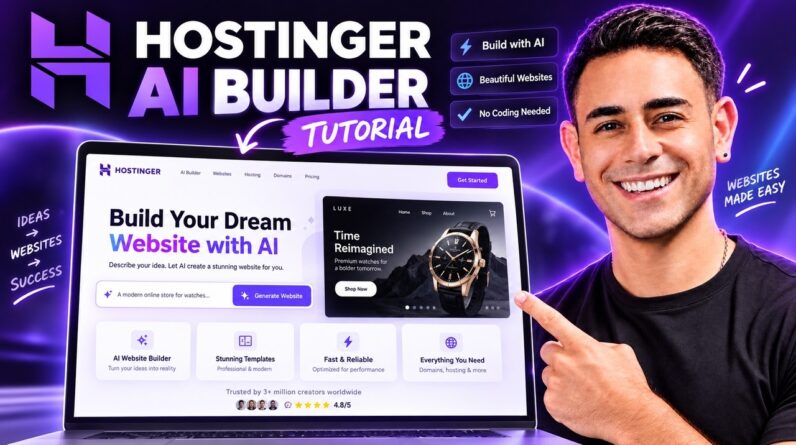
Learn how to build a professional website with the Hostinger AI Website Builder in this complete beginner-friendly tutorial.
In this Hostinger AI Builder tutorial, I’ll show you step-by-step how to create a website using AI, customize the design, add your own content and images, optimize your website for mobile devices, and publish your site online.
Hostinger’s AI Website Builder allows you to describe the type of website you want and then uses AI to generate the layout, design, pages, text, and website structure for you. This makes it a great option for beginners, small businesses, freelancers, portfolios, blogs, and anyone who wants to create a website without coding.
In this tutorial, you’ll learn:
• How to use the Hostinger AI Website Builder
• How to generate a website with AI
• How to customize your website design
• How to edit text, images, sections, and pages
• How to create a professional homepage
• How to make your website mobile-friendly
• How to connect a domain
• How to publish your website
• How Hostinger AI works for beginners
• Tips for creating a better-looking AI website
Timestamps
00:00 – Hostinger AI Website Builder Intro
00:39 – What Is Vibe Coding?
01:06 – Hostinger AI vs Lovable vs Base44
02:45 – Hostinger AI Pricing
03:30 – Choosing Your Hostinger Plan
04:15 – Hostinger Discount & Checkout
05:00 – Hostinger Dashboard Overview
05:45 – Starting With Hostinger AI Builder
06:24 – How to Create the Perfect AI Prompt
08:40 – Generating the Website With AI
09:00 – Reviewing the AI-Generated Website
10:55 – Hostinger AI Builder Tools & Credits
11:40 – Desktop & Mobile Preview
12:30 – Using Hostinger’s AI Assistant
13:10 – Connecting a Custom Domain
14:25 – Editing Your Website With AI Prompts
15:25 – Editing Text Manually
16:05 – Making Multiple Changes at Once
16:50 – Replacing Images With AI
17:45 – Customizing the Contact Form
18:30 – Testing Contact Form Emails
19:05 – Changing the Entire Website Style
20:00 – Credits Used & Final Website
20:35 – Publishing Your Website
Whether you’re building your first website or simply want a faster way to create websites with artificial intelligence, this tutorial will walk you through the entire process from start to finish.
🎬 Check out our new Clips channel!
We’re sharing shorter clips from our tutorials, tips, and best moments. Subscribe so you don’t miss them 👇
https://www.youtube.com/channel/UCIIqVMy3Ro-A19DdtaJN62A
#Hostinger #HostingerAI #AIWebsiteBuilder #WebsiteBuilder #WebDesign