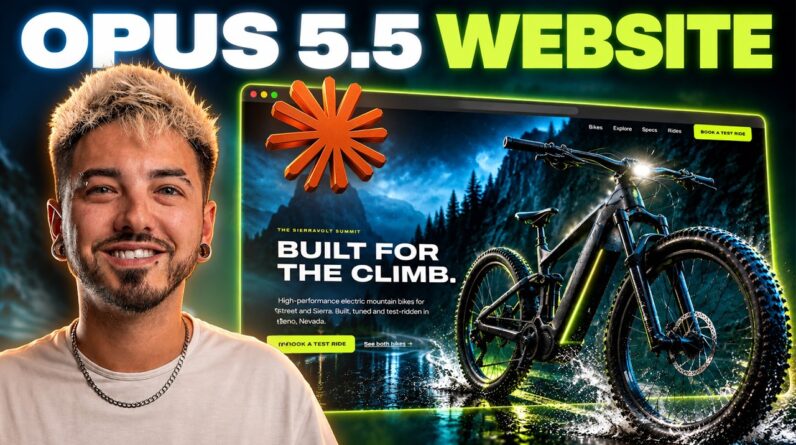
Learn how to build a $10K professional 3D website with Claude Opus 5.5 — without writing a single line of code! In this step-by-step tutorial, I’ll show you how to create a stunning, professional 3D website using AI, complete with cinematic animations, interactive elements, and custom branding.
Get a Discounted Domain Name & Hosting for Your Website:
👉 https://createaprowebsite.com/hosting191
Use coupon Code: createaprowebsite for an additional 10% discount on all yearly hosting plans.
Get Higgsfield:
👉 https://createaprowebsite.com/higgsfield
Get the Claude skill:
👉 https://joshbutcheronline.notion.site/10K-Opus-5-5-Website-3f12ff514f97819d9532cadeff008cf8?source=copy_link
🔥 Build a $10K Website With AI (Full Tutorial)
What if you could build a website that looks like it cost $10,000 — using nothing but AI?
In this complete Claude Opus 5.5 website tutorial, I’ll walk you through my entire workflow for creating a high-end, interactive 3D website from scratch.
We’ll use Claude AI to build the website, Higgsfield to generate cinematic visuals, and Hostinger to get everything live on the internet.
No coding experience required!
✅ What You’ll Learn:
1. How to set up Claude Opus 5.5 for AI website development
2. How to create a professional brand kit using AI
3. How to generate stunning AI images and cinematic hero videos
4. How to build an interactive 3D website with Claude
5. How to customize layouts, animations, and website sections
6. How to connect your custom domain and hosting
7.How to publish your AI-generated website online
8. How to make final revisions using simple AI prompts
Whether you’re a beginner, freelancer, web designer, or business owner, this tutorial shows you how to create premium-looking websites without traditional web development.
TIMESTAMPS
—————————————–
00:00 – Intro
01:03 – Step 1: Getting Set Up
03:31 – Step 2: Project Setup
05:28 – Step 3: The Build
07:20 – Phase 1: Brand Kit
08:36 – Phase 2: Hero Image
11:27 – Phase 3: Hero Film
12:35 – Step 4: Hosting & Custom Domain
15:16 – Free Custom Domain Name
16:35 – Hostinger Connector
17:37 – Reviewing the 3D Bike & Hero Film
19:19 – Phase 4: Website Build
19:46 – First Site Reveal
23:19 – Step 5: Revisions
24:34 – Step 6: Publish Website
FULL WORDPRESS COURSE
—————————————–
https://www.udemy.com/course/how-to-create-a-wordpress-website-with-elementor-2021/
OTHER HELPFUL VIDEOS
—————————————–
How to Make Your First $1000 as a Web Designer
How to Create a Website in 10 Minutes:
How to Create a Business Email for Free
How to Create a Free Logo for Your Website:
FOLLOW & CONNECT WITH US
————————————————–
My Website :
Create a Pro Website Instagram:
https://www.instagram.com/createaprowebsite/
Create a Pro Website Facebook:
https://www.facebook.com/createaprowebsite/
And don’t forget to SUBSCRIBE to Create a Pro Website for more awesome website tutorials:
http://youtube.com/createaprowebsite?sub_confirmation=1
Disclaimer: Some of the links above have an affiliate code – if you purchase with these links, I will receive a small commission at no additional cost to you.