Chapters
00:00 Introduction to AI Website Building
01:59 Setting Up the Project
04:37 Building the Website with Cursor
07:43 First Iteration and Feedback
10:57 Making Adjustments and Improvements
13:58 Finalizing the Website Design
16:43 Exploring Advanced Features
19:59 Conclusion and Future Prospects
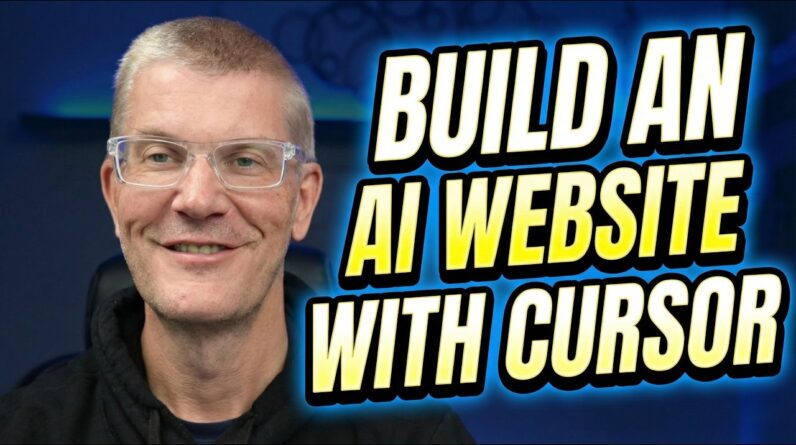
🚀 Build & Redesign a Website with Cursor + V0 (AI Vibe Coding Tutorial) 🌐🤖
In this tutorial, I show how to build and iterate on a full business website using Cursor, and where V0 (by Vercel) fits perfectly into the modern AI website workflow.
This is a real-world, honest walkthrough — not a polished demo — showing how these tools actually work together when you’re building and refining a website.
⸻
🧠 The Modern AI Website Workflow (Explained)
Here’s how I personally recommend using these tools:
1️⃣ V0 → Best for initial website design & layout
2️⃣ Cursor → Best for editing, iterating, and maintaining the site long-term
In this video, I demonstrate:
• How Cursor can scrape and rebuild an existing site
• Why V0 is excellent for first-pass design
• Why Cursor is superior for ongoing changes, fixes, and refinements
⸻
🧠 What you’ll learn in this video:
✅ Setting up a local project folder
✅ Using Cursor Agent Mode (Plan → Build → Iterate)
✅ Scraping an existing website’s content and images
✅ Rebuilding a landing page with a new look & feel
✅ Iterating on:
• 🎨 Design styles (glass vs white vs modern)
• 🖼️ Hero images and layouts
• 📐 CSS and spacing
• 📞 Contact page structure
✅ Switching AI models mid-project for better results
✅ Understanding why prompt precision matters
⸻
⚔️ Cursor vs V0 (Real Talk)
🟢 V0 (by Vercel)
• Amazing for initial UI / layout creation
• Fast, clean, and visually impressive
• Great starting point for a new site
🟢 Cursor
• Better for editing existing sites
• Excellent for iteration and maintenance
• Ideal once your project lives in GitHub
• Cheaper for long-term changes
👉 Best combo:
Design with V0, push to GitHub, refine forever with Cursor.
⸻
🛠️ Tools & Tech Used:
🔹 Cursor (Agent Mode)
🔹 V0 by Vercel
🔹 Node.js + Express
🔹 AI-powered web scraping
🔹 Hosting options:
• 🚀 Vercel
• ☁️ Google Cloud
• 🌍 Cloudflare
⸻
💡 Real-world insights covered:
⚡ Why AI now codes faster than humans can test
💰 How inexpensive AI-powered web builds really are
📈 Why Cursor is one of the most powerful vibe-coding tools today
🧩 How AI changes website redesign and long-term maintenance
⚠️ This is a real build, not a sales demo.
You’ll see what works, what doesn’t, and how to guide AI when it misses the mark.
⸻
💬 Want to see more Cursor + V0 builds?
Landing pages, internal tools, dashboards, full websites — drop ideas in the comments 👇
👍 Like the video
🔔 Subscribe for more Cursor, V0, and AI Vibe Coding tutorials
💬 Ask questions — I reply
Thanks for watching! 🚀