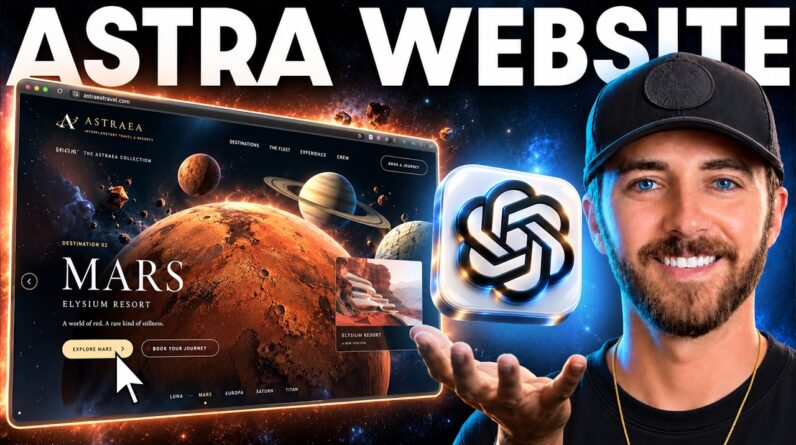
Build a fully functional AI website using Google AI Studio — complete with an Admin Panel, Database, Login Authentication, Frontend & Backend! 🚀
In this step-by-step tutorial, I’ll show you how to build a complete Real Estate website using Google AI Studio and connect everything to turn a simple AI-generated website into a real working full-stack web application.
This is not just a frontend website. You’ll learn how to create the website, build the admin dashboard, manage data, add user authentication, connect the database, and make the complete system functional.
🔥 What You’ll Learn
✅ Build a fully functional website with Google AI Studio
✅ Create a beautiful AI-generated frontend
✅ Build a complete Admin Panel & Dashboard
✅ Connect and manage a real database
✅ Add Login & User Authentication
✅ Connect frontend with backend
✅ Create and manage real estate listings
✅ Build a full-stack web application with AI
✅ Turn an AI website into a real functional project
✅ Build websites faster with AI & vibe coding
Whether you’re a beginner, freelancer, web developer, or exploring AI web development, this tutorial will show you how AI can help you go beyond static websites and build complete functional web applications.
━━━━━━━━━━━━━━━━━━━━━━
🔗 Hosting Link: https://www.hostinger.com/komal10
🎁 Use Coupon Code: KOMAL10
For an additional 10% discount
━━━━━━━━━━━━━━━━━━━━━━
⏱️ Chapters
00:00 – Fully Functional Website Preview
01:52 – 4-Step Website Building Process
02:32 – Find a Premium Website Design Reference
03:16 – Generate Website Prompt with ChatGPT
04:21– Build Website with Google AI Studio
05:10 – Add Database + Authentication
05:35 – Enable Firebase Database
06:25 – AI Website Generated
07:26 – Improve Website UI & Design
08:06 – Test Website Functionality
09:06 – Test Property Booking System
10:01 – Setup Login & Authentication
11:34 – User Dashboard + Verified Account
11:49 – Add Property from Dashboard
12:52 – Edit & Delete Property Listings
13:38 – Mobile & Tablet Responsiveness
13:47 – Deploy Website to Custom Domain
14:15 – Export Google AI Studio Website
14:31 – Setup Hosting + Custom Domain
17:06 – Upload Website to Hosting
18:02 – Website LIVE on the Internet
18:10 – Final Result & Outro
🔎 Keywords
Google AI Studio tutorial, build website with Google AI Studio, fully functional AI website, Google AI Studio website, AI website builder, full stack website with AI, Google AI Studio backend, admin panel website, frontend and backend, Firebase tutorial, AI web development, authentication, database, real estate website, vibe coding, build website for free with AI, Vibe Coding
🏷️ Hashtags
#googleaistudio #aiwebsites #webdevelopment #aiwebdevelopment #fullstack #firebasetutorial #vibecoding #websitebuilder #aitools #adminpanel