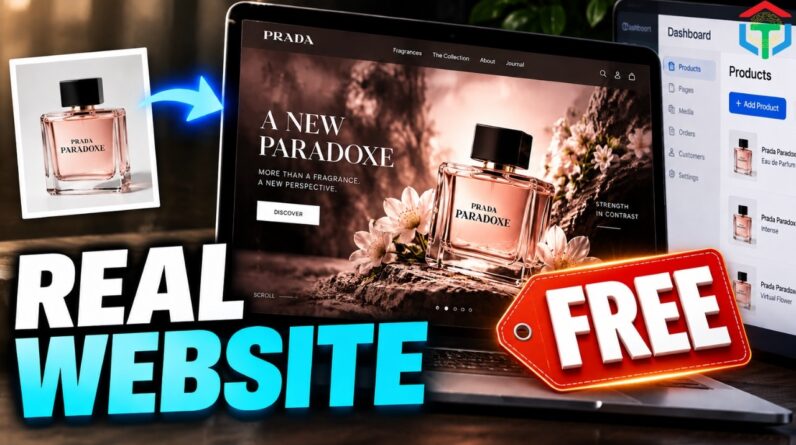
Build a REAL, editable, cinematic AI website for almost any product or brand — without manually writing code.
👉 Try Hosting & Domain DISCOUNT: 20% OFF 👉👉👉👉👉→ https://hostinger.com?REFERRALCODE=robertstechtool
👉 Try ChatLLM by Abacus AI: https://chatllm.abacus.ai/NNcXPGhdkn
In this tutorial, I’ll show you the complete 4-prompt workflow I use to go from a product image, product URL, or old website to a premium full-stack website using ChatGPT, Google AI Studio and Firebase.
This goes beyond generating another beautiful landing-page demo.
We build:
✅ Brand-specific creative direction
✅ Cinematic product storytelling
✅ Responsive desktop + mobile design
✅ A real Firestore database
✅ Firebase Authentication
✅ Secure admin access
✅ Editable website content
✅ Media management
✅ SEO controls
✅ Production QA
✅ A deployable website
THE 4-PROMPT SYSTEM
Prompt 1 — Creative Director
Analyzes the business, product and audience, then creates the website concept, visual story, art direction, motion system and CMS architecture.
Prompt 2 — Cinematic Asset Director
Plans or generates the cinematic media. Depending on available tools, it can use video, frame sequences, interactive 3D or web-native animation.
Prompt 3 — Full-Stack Website Builder
Turns the approved strategy and assets into a working Google AI Studio website connected to Firebase, Firestore and an administrator dashboard.
Prompt 4 — Production QA
Tests the design, motion, responsive experience, database, authentication, CMS, security, performance and accessibility before delivery.
🎁 GET THE FREE 4-PROMPT PACK
00:00 I Built a REAL AI Website
00:40 Why Most AI Websites Are Still Demos
01:13 My 4-Prompt Website System
01:39 Prompt 1: AI Creative Director
02:17 Start With Any Product or Brand
03:30 Prompt 2: Cinematic Video & Visual Assets
04:36 Prompt 3: Google AI Studio Full-Stack Build
05:05 Add Firebase Database & Authentication
05:29 Cinematic Website Reveal
06:18 Responsive Mobile Website
06:34 Admin Dashboard + Live Editing
What Clients Should Be Able to Edit
07:47 Prompt 4: Production QA
08:13 AI Website builder using Abacus AI and ChatGPT
08:47 Why the 4-Prompt System Works
09:11 Publish Your Website
Free 4-Prompt Pack
Subscribe to Robert’s Tech Toolbox for practical AI tools, automation, no-code systems, creator workflows and real-world AI tutorials.
TOOLS / RESOURCES
👉 Try Build App with Lovable: → https://lovable.dev/?via=RobertsTechToolbox
👉 Try AI App with Adalo: → https://www.adalo.com/?via=RobertsTechToolbox
👉 GET 50% OFF ✅OpenArt Tool: https://openart.ai/home/?via=RobertsTechToolbox
👉👉Code to GET 10% OFF ✅OpenArt Tool: LCbec3UR
👉 Best Talking Avatar: https://heygen.com/?sid=rewardful&via=RobertsTechTool
✅ElevenLabs for Music & voiceovers: ➡️ https://try.elevenlabs.io/3jiiovrofsyo
✅CapCut for editing ➡️ https://capcutaffiliateprogram.pxf.io/aOndYY
✅Vidiq for SEO Video: ➡️ https://vidiq.com/RobertsTechTool
✅KingAI for animating images ➡️ https://klingaiaffiliate.pxf.io/DygPxq
✅ Fliki – Auto video generation tool ➡️ [https://robertstechtoolbox.com/fliki]
• ChatGPT — strategy and prompt workflow
• Google AI Studio — full-stack website build
• Hostinger — optional external hosting/deployment route
🔗 Join our community for exclusive prompts and resources:
🔹 Join my Facebook fanpage for exclusive tips, resources, and the FREE PROMPT: https://www.facebook.com/plugins/page.php?href=https://www.facebook.com/61573018476996
🔹 Join my Telegram Channel to get instant access to the FREE PROMPT and learn even more secrets to success: [https://t.me/+FIiHDnsDYNBhMjM1]
🔹 Prefer to read the text version? Check out the full tutorial on my blog:
👉 https://robertstechtoolbox.com/build-a-real-website-with-google-ai-studio/
👉 https://medium.com/@robertpham369/how-to-build-a-real-website-with-ai-beyond-the-first-impressive-preview-8a21d9529fa3
#googleaistudio #aiwebsitebuilder #nocode
#vibecoding #webdesign #webdevelopment