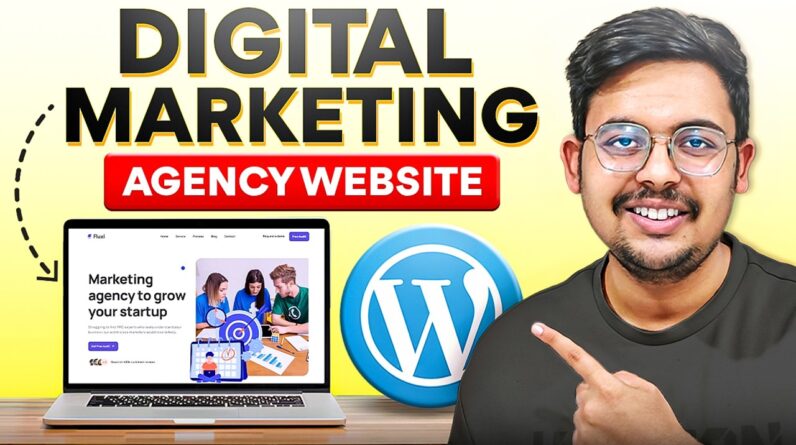
Create Digital Marketing Agency Website in WordPress
✅ Best Hosting for WordPress – https://www.hostg.xyz/aff_c?offer_id=6&aff_id=94886
🎟️ Use coupon code DARSH (Get additional 10% off)
In this video I have showed how to create a digital marketing agency website in wordpress from scratch without coding. Whether you want to create website for any of the digital marketing agency field like social media marketing agency website, website design agency website or any other than this tutorial is perfect for you because the digital marketing agency website built in this tutorial can be easily converted to any type of website you want.
Buy Digital Marketing Agency Website Theme – https://1.envato.market/jeAvb6
Links Mentioned In Video:
How to Buy Hosting with Free Domain – https://youtu.be/RqxvSfb2kEQ
Mobile Optimization – https://youtu.be/v02Atabcfh0
Tools Used In This Video:
Color picker chrome extension: https://chromewebstore.google.com/detail/colour-picker-eye-dropper/gogbiohkminacikoppmljeolgccpmlop
Whatfont chrome extension – https://chromewebstore.google.com/detail/whatfont/jabopobgcpjmedljpbcaablpmlmfcogm
Flaticon website to download icons – https://www.flaticon.com/
Follow along with me while watching this digital marketing agency website tutorial:
Demo website link – https://themewant.com/products/wordpress/fluxi/landing-five/
Website practice files – https://drive.google.com/drive/folders/1SG2JMyFfO50HUKjQKtprfjv5ItC1Eirx?usp=sharing
If you enjoyed this video, make sure to like and subscribe. New content drops every tuesday and friday! https://www.youtube.com/@createwebsitewithdarsh
Any questions?
Comment below or mail at contact@darshjain.com
Timestamps:
00:00 – Intro
01:13 – Demo Website
03:45 – What is Domain Name & Web Hosting
04:55 – How to Buy Hosting With Free Domain + Discount
11:12 – Claim Free Domain Name
13:54 – Install WordPress on Hostinger Hosting
15:15 – WordPress Dashboard Overview
18:54 – WordPress Basic Settings
21:01 – Install Theme
22:03 – Install Plugins
22:40 – Creating Pages Using Elementor
2:01:38 – Create & Setup Contact Form
2:09:58 – Mobile Optimization
2:15:50 – Creating Custom Sticky Header
2:25:25 – Creating Footer With Elementor
2:35:52 – Connecting Links (Same Page)
2:38:50 – Thank You & Outro
✅ Best Hosting for WordPress – https://www.hostg.xyz/aff_c?offer_id=6&aff_id=94886
🎟️ Use coupon code DARSH (Get additional 10% off)
Watch Next:
Wordpress Complete Tutorial – https://youtu.be/DEuMtNAZufA
Wordpress Ecommerce Website Tutorial – https://youtu.be/xhCHXIfhSGk
Elementor Complete Course – https://youtu.be/z-nj_KsSoHU
Lets connect online:
Instagram – https://www.instagram.com/darshjain.website/
About me
Hi My name is Darsh Jain, I am an expert website designer building websites using no code platforms like wordpress, shopify etc. Through this channel my aim is to share my expertise and help small business owners, bloggers, and aspiring web designers build professional websites or master building service without the technical overwhelm and make money online. With my tutorials I focus on practical, easy-to-follow guidance that gets results.