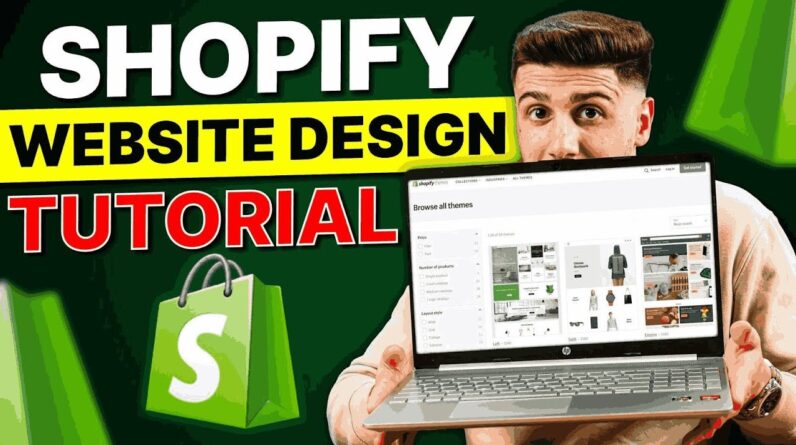
Shopify Website Design Tutorial: Learn how to create a stunning, user-friendly Shopify site with easy steps for theme selection, customization, and branding.
👉 Get a 3-day FREE Shopify trial and enjoy a $1/month deal for the first 3 months ➜ https://bit.ly/4o4uVdG
────────────────────────────────────────────
AI Sales and Customer Service Chatbot ➜ https://bit.ly/hmesave
90% DISCOUNT AUTOMATICALLY APPLIED
Shopify Website Design Tutorial: Learn how to create a stunning, user-friendly Shopify site with easy steps for theme selection, customization, and branding.
Timestamp Sections:
00:00 Intro
00:39 Add Products
01:40 Product Collection
02:11 Customizing Menu
02:36 Add Policies to Footer
03:10 Change Logo
03:47 Customizing Banner
04:43 Adding Collection Section
05:14 Adding Images with Text
06:19 Typography
07:12 Assign Button
07:43 Changing Theme Colors
08:13 Adding Color to Sections
08:48 Publish Your Store
09:19 Conclusion
————————————————
Build a Shopify Bike Store From Scratch (Beginner Friendly)
————————————————
In today’s video, I’m walking you step-by-step through how to create a fully functional online bike store using Shopify. Even if you’re not planning to sell bikes specifically, this tutorial applies to almost any type of product you’re offering. From adding your first product to organizing collections and customizing your homepage layout, I’ll show you how to build and style your website efficiently—even if you’re brand new to e-commerce or Shopify. You’ll also learn how to get started with a free 3-day trial and access Shopify for just $1/month for your first three months using the exclusive link below.
————————————————
Store Design: Layout, Colors & Content Tips
————————————————
We dive deep into customizing your storefront to make it visually appealing and easy to navigate. Learn how to upload a custom logo, rearrange menus, optimize your banner images, and change colors across different sections to give your store a consistent, polished look. I also show you how to use dynamic features like product carousels and collection lists to showcase your items, as well as how to add context to your site with images and text blocks. Plus, you’ll get tricks for better mobile responsiveness and tips on making your layout feel professional without needing any coding experience.
————————————————
Launching & Going Live with Shopify
————————————————
After we finish designing the store, I explain how to link your products, collections, and buttons properly—and most importantly, how to publish your Shopify store so you can start accepting orders. You’ll learn how to choose a plan, remove the password protection, and officially go live with your store. Once you’ve followed all the steps in the video, your site will be ready for the world to see. Whether you’re selling bikes, apparel, or artisan goods, this guide gives you the foundation to build a clean, responsive, and customer-ready online store.
Hope you enjoyed my Shopify Website Design Tutorial in 10 Minutes! (Quick Easy Steps) Video.