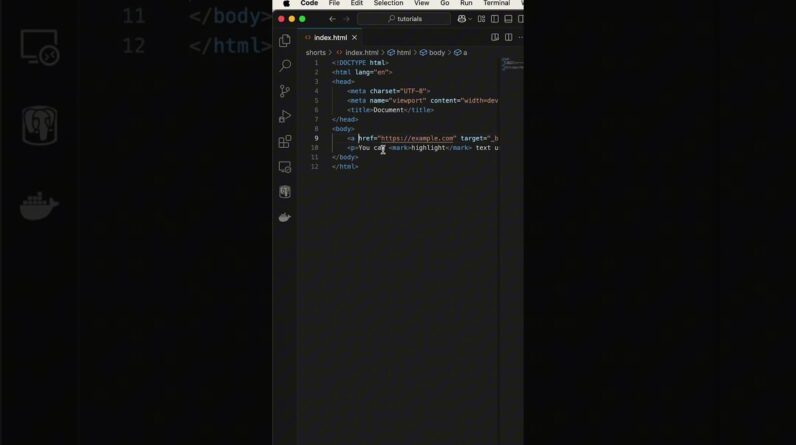
Want to improve your HTML skills with some fast, beginner-friendly tips? In this short tutorial, you’ll learn two super useful HTML tricks: how to open links in a new browser tab using target=”_blank” and how to highlight text without writing a single line of CSS using the mark tag. 🤯
These quick tricks are perfect for improving user experience, and they work instantly in any browser!
🔥 What You’ll Learn:
✅ Open links in a new tab
✅ Highlight any text
✅ Boost your HTML skills in less than 60 seconds
🎯 Practical Tip: These shortcuts are 100% beginner-friendly, require no JavaScript or CSS, and are supported across all modern browsers.
💡 Like this video? 👍 Smash the LIKE button to support the channel
🔔 SUBSCRIBE for more quick HTML & web development tutorials!
📢 Share your thoughts!
Did you already know about these tags? Drop a comment below
🔖 Topics & Tags
Topics Covered in This Short:
– How to open a link in a new tab with target=”_blank”
– How to highlight text in HTML using the mark tag
– Simple HTML tricks for beginners
– Improve user experience with built-in HTML features
– Write cleaner, faster, and more semantic HTML
– No CSS, no JavaScript – just pure HTML!
#html #htmltips #webdevelopment #webdesign #coding #programming #learnhtml #htmltricks #frontend #targetblank #marktag #codefaster #webdev #codingtips #htmlforbeginners #frontenddevelopment #shorts #vscode #emmet #devlife #devtips #htmlshortcuts #webdesigntricks #quicktips #codinglife #techshorts