




Google is testing a new way to open AI Mode directly from Chrome’s tab context menu. Users can select tabs and start a new AI Mode thread without opening Google Search separately.
In Chrome Canary, right-clicking a tab brings up a new “Share tab with AI Mode” submenu. It includes a “Start new thread with AI Mode” option that opens the AI Mode side panel alongside the current webpage.
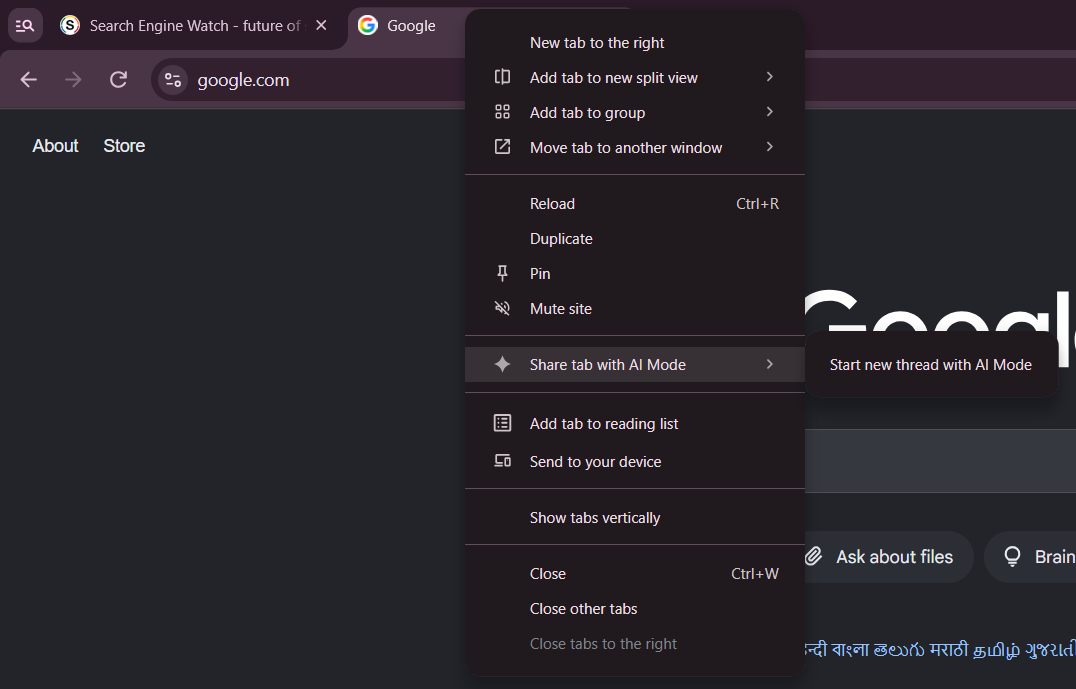
The menu also supports multiple selected tabs. Selecting tabs with Ctrl or Shift updates the label to reflect the selection, with options such as “Share 2 tabs with AI Mode.”
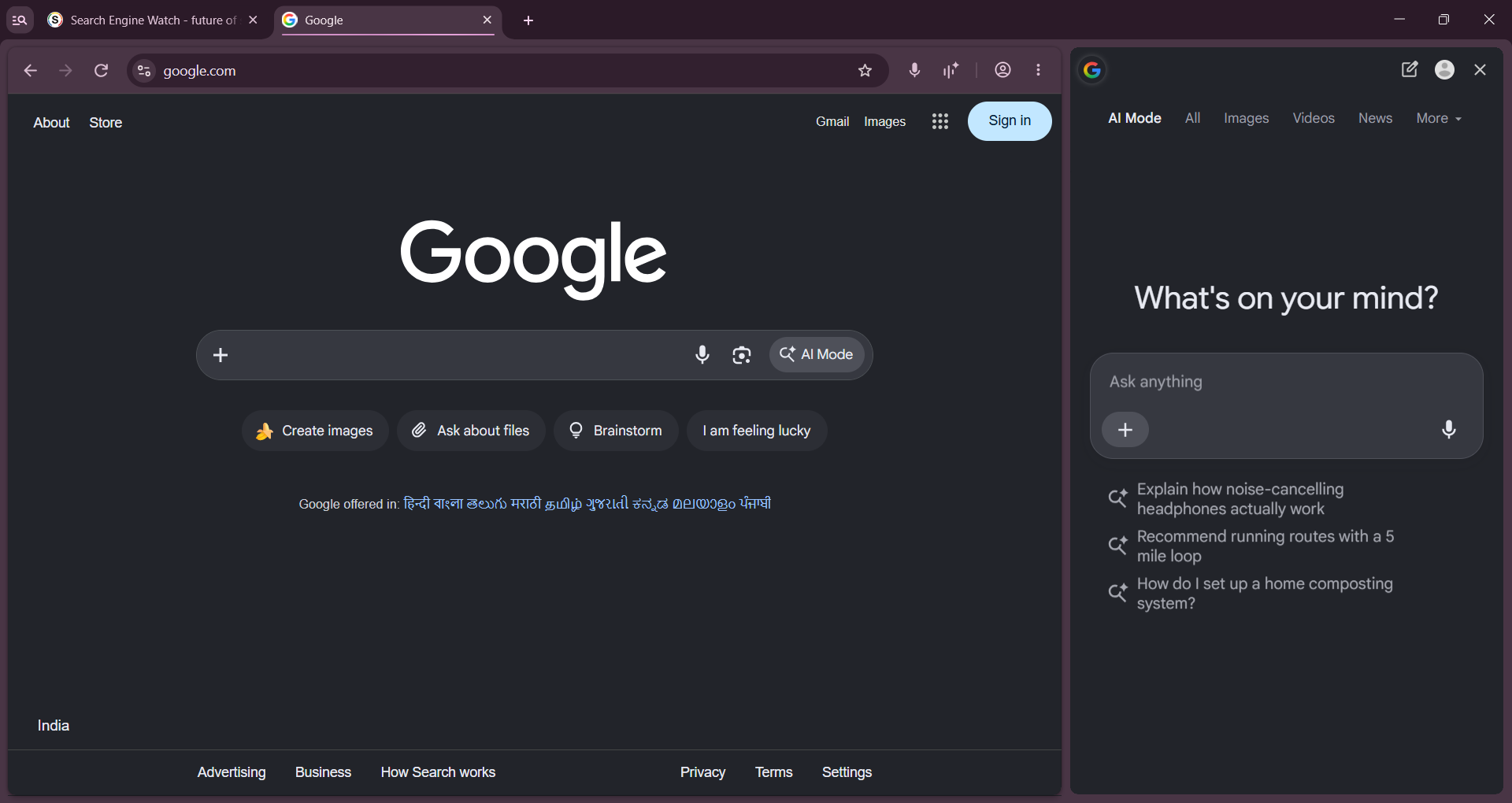
We found that the option appears in Chrome profiles that aren’t signed in to a Google Account. The menu uses the AI Mode name rather than the Gemini branding found in Chrome’s existing tab-sharing shortcuts.
In our testing, selecting “Start new thread with AI Mode” opens the side panel, but the selected tabs don’t appear as shared context in the conversation.
Chromium Gerrit reviews show Google is building out the feature under the ContextualTasks project. The planned additions include listing recent conversations in the submenu, sharing tabs with existing conversations, and adding an “Unshare” command to remove tabs from an AI Mode session.
The feature is still under development in Canary, and Google may change how it works before a wider release.
The post Google Tests Direct Tab Sharing with AI Mode in Chrome appeared first on Search Engine Watch.
