




Key Takeaways
- SEO templates save time by giving you repeatable frameworks for everything from keyword planning, audits, reporting, content creation, outreach, and local SEO.
- The best templates act as starting points, not shortcuts. You’ll get the most out of them by customizing around your goals and audience, instead of copying them exactly.
- Free tools like Ubersuggest and downloadable spreadsheets can simplify diagnostic tasks (like technical checks or backlink analysis) and tracking (such as keyword or performance reporting).
- Content-focused templates help you plan, write, edit, and publish more consistently by turning scattered ideas into clear briefs, calendars, outlines, and checklists.
- With search changing, templates should help you track how your brand appears in AI-generated answers as well as traditional search results.
Tired of spending tons of time building SEO spreadsheets, sorting data, and double-checking each step? I’ve put together 19 SEO templates to make your life easier.
From tracking organic traffic to writing the perfect blog post, these resources cover every step of the SEO process. I’ve also included an AI visibility template, because ranking on Google is no longer the full story.
Each template is a starting point you can customize to fit your goals and your workflow.
1. Google Data Studio Overall Traffic Report Template
Google Data Studio lets you connect, visualize, and share your data in one place. Use it to build interactive dashboards and reports that turn raw data into decisions your team can act on.
It connects to hundreds of data sources, including:
- Looker by Google
- Google Analytics and Sheets
- PayPal
- HubSpot
- QuickBooks
- Salesforce
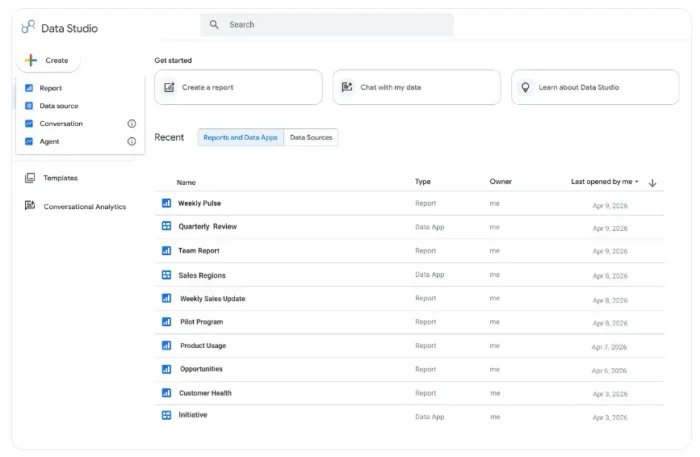
Source: https://cloud.google.com/blog/products/data-analytics/looker-studio-is-data-studio
Learn more about using Data Studio for reporting here.
2. All-In-One Google Search Console Template
Analyze keywords and page views with Data Studio’s All-in-One Search Console template. It gives you a full traffic overview: brand vs. generic keywords, page rankings, keyword analysis, and total performance over time.
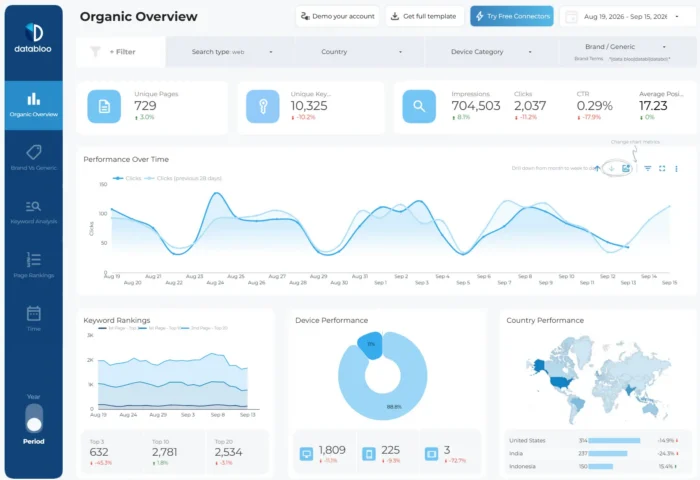
Within each category, you can sort by date and dig deeper to compare improved and declining keywords, analyse short-tail vs long-tail query performance, and filter results by device or country. Then share the data with your team and other collaborators.
You’ll need to complete the setup of Google Data Studio before you can add in your site’s data.
3. NP Digital SEO Audit Guide
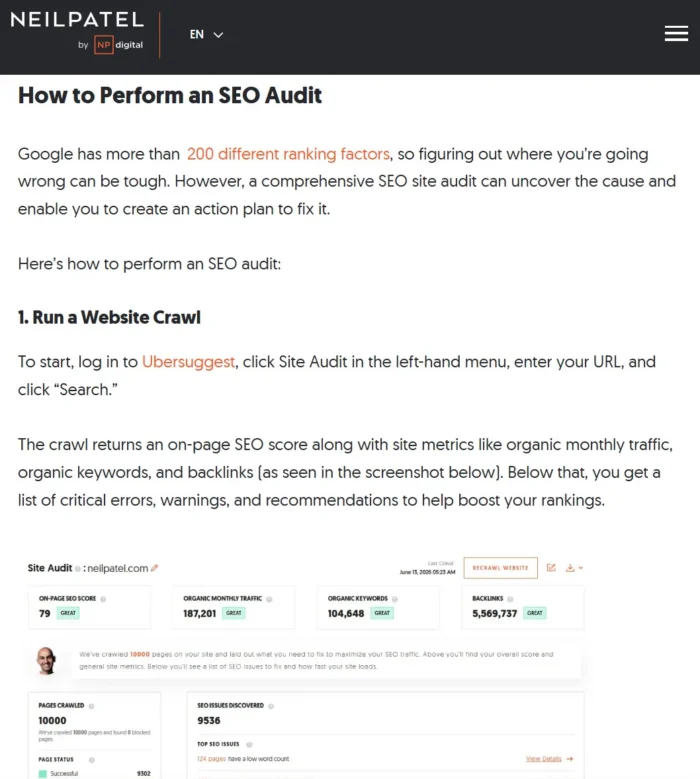
My detailed website audit guide walks you through:
- Tightening your titles and descriptions, since Google often rewrites meta descriptions
- Stopping keyword cannibalization and duplicating content by consolidating pages
- Filling content gaps your competitors are winning
- Cleaning up your structured data and schema so AI Overviews can cite you
- Building experience, expertise, authoritativeness, and trustworthiness (E-E-A-T) with credentialed authors and original data.
By the time you’ve finished reading, you’ll have a clear picture of your site’s technical health and how to fix it.
4. Ubersuggest Backlink Checker
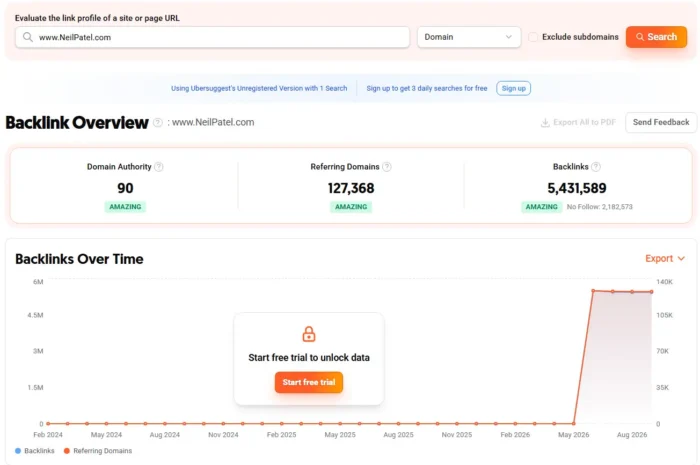
Use Ubersuggest’s free backlink checker to:
- Enter any domain URL
- Instantly see every backlink pointing to that site
- Filter by domain authority and anchor text
- Identify toxic or broken links to disavow.
- Export the results into an SEO spreadsheet to track changes
The Backlink Overview tracks backlinks and referring domains over time, so you can see how authority builds, spot sudden growth or losses, and check whether new links come from diverse sources. Use it for your domain or a competitor’s to benchmark link-building opportunities and strengthen your SEO strategy.
5. Canva’s Landing Page Templates
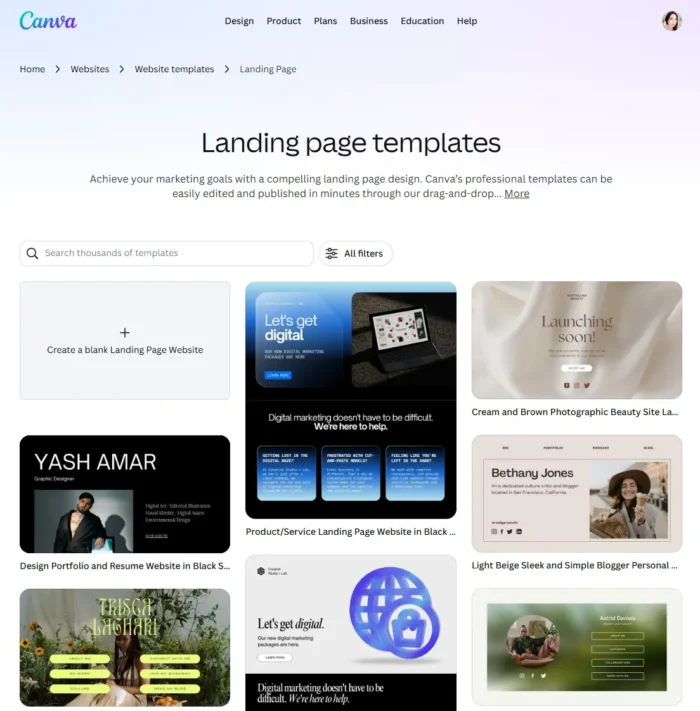
Building a landing page from scratch takes time, but Canva’s landing page templates let you skip that step. Each template has pre-built elements you can easily customize with the platform’s drag-and-drop features.
You can choose paid options, but Canva also has plenty of free templates. Swap in your brand colours, drop in your copy, and you’re ready to capture leads with an optimized landing page.
Canva’s landing page templates have all the key elements such as:
- A landing page headline (also called your Hero Copy)
- Detailed features and benefits of your product or offer
- High-quality images and video
- Reviews and testimonials
- Calls to action
Here are some examples:
6. Ubersuggest Keyword Planner Spreadsheet
Need a simple way to keep your keyword planning organized? Grab my SEO keyword plan template to list every keyword you’re targeting in one place.
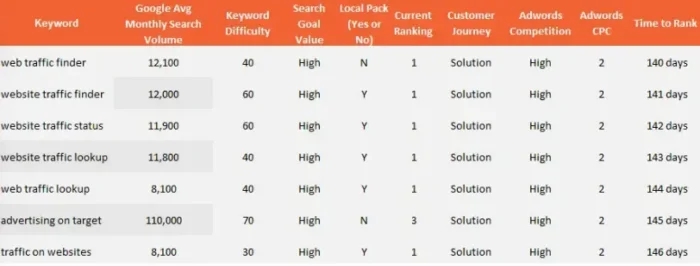
My SEO Excel template lets you track search volume, keyword difficulty, and more.
Use the findings to discover new keyword targets and sharpen your keyword strategy.
Then team it with Ubersuggest to find high-value keywords.
7. SEO + AI Site Audit Tool
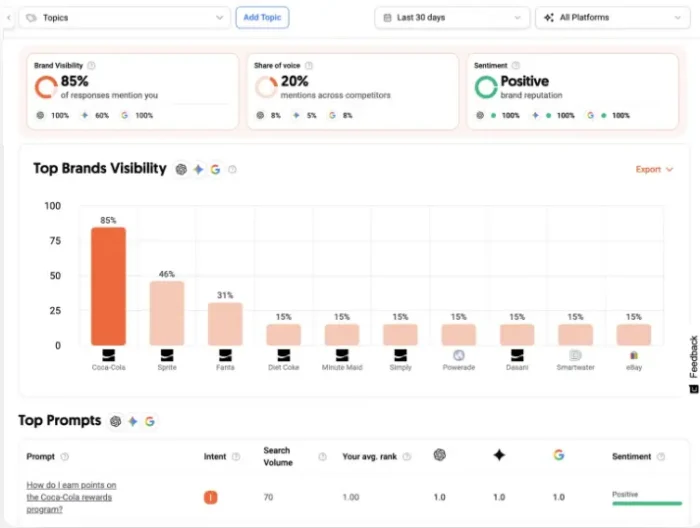
Enter a URL and my free SEO and AI visibility tool audits:
- Broken links
- Core Web Vitals
- Highest-performing keywords
- Site speed and more
I’ve also included an AI visibility feature. Here’s why:
AI search is rapidly becoming one of the primary ways customers discover brands.
My AI Visibility Insights tool shows exactly how your brand appears across major AI platforms. By tracking brand mentions, competitive share of voice, and sentiment across thousands of AI-generated responses; you’ll see how LLMs recommend you and how visibility changes over time.
8. Content Creation Template
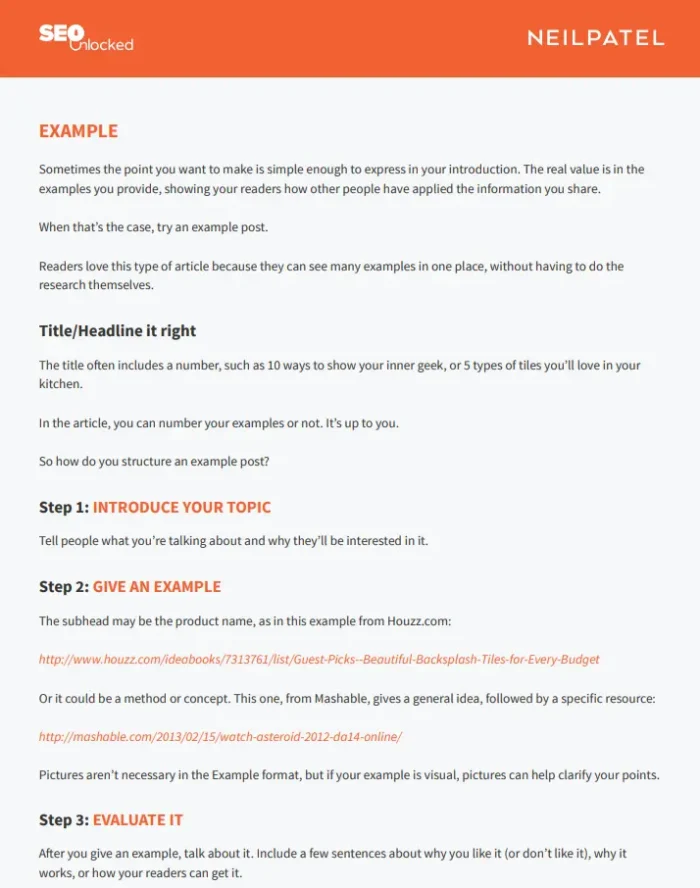
More traffic starts with better content. My SEO content template gives you four ready-to-fill content structures for:
- Thought leadership pieces
- Audio and video content
- Interview articles
- Media posts
- Case studies
- How-to guides
Each one is broken into optimized, step-by-step sections you complete as you go, so you don’t waste time figuring out what belongs where.
The formats mix and match too. For example, an in-depth long-form guide might follow the thought leadership template overall, but you could pull in individual sections built around the how-to or case study templates.
9. Content Editing Checklist
If you struggle with self-editing content, here are my content editing SEO worksheets. They introduce the STEPS process to tighten your writing. Run through this 5-step checklist every time you edit a piece to save time and streamline the editing process.
Each step has its own worksheet:
- Simplify: Replace complex words
- Trim: Always write for brevity
- Evaluate: Match content to your readers’ pain points
- Polish: Tighten structure and improve flow and formatting.
- SEO check: Run a final SEO check
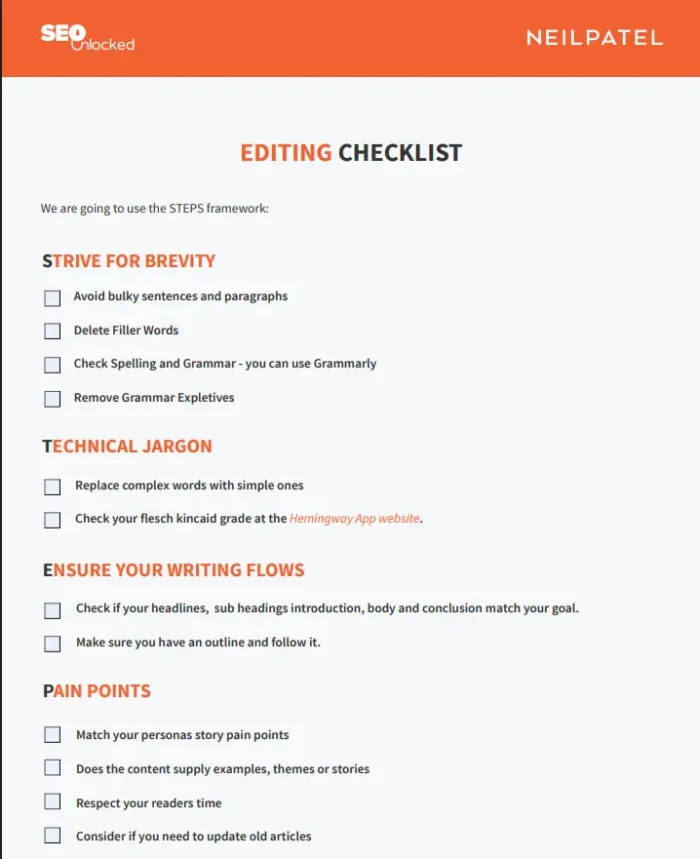
My SEO planning template lets you map out your content delivery and schedule content.
10. Editorial Calendar Spreadsheet
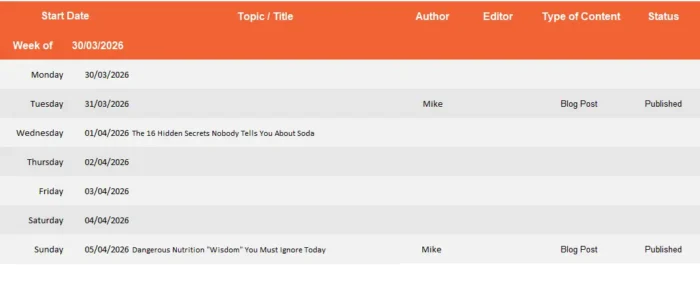
You get columns for date, topic, author, editor, type of content, calls to action, and more.
Use it to plan:
- Regular blog posts
- Company announcements
- Block out holiday content
- Schedule guest post go-live dates
Once you’ve filled in your calendar, it’s much easier to spot publishing gaps and seasonal opportunities weeks ahead, giving you time to create content instead of chasing trends and missing the moment.
11. Free Blog Post Templates
Tired of writer’s block? Get your creative juices flowing with this SEO template bundle from HubSpot.
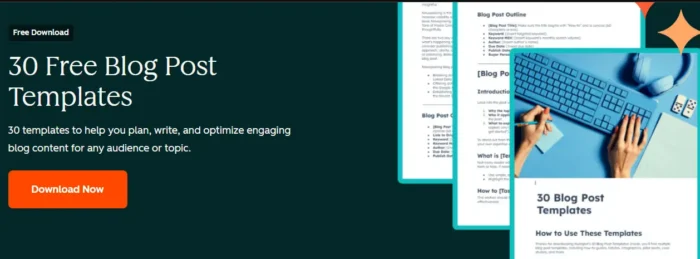
It includes outlines for six formats:
- How-to guides
- Listicles
- Comparisons
- Pillar posts
- Newsjacking pieces
- Infographics
Each template comes with tips for writing titles, introductions, and headings, so you’re not starting with a blank page.
Still stuck? Try using some AI tools for SEO and content creation to help you write that first draft.
12. Link Building Search Operators
You need link building for SEO, but where do you start? Search operators are special commands you type into Google to narrow down results, which can help you find pages that might not surface with a normal search.
With the right search string, you can find resources in minutes instead of hours. For link builders, this can be a handy shortcut when you’re prospecting for opportunities.
My Link Building SEO worksheet gives you the exact operators and query formulas to use so you can start finding link prospects much faster.
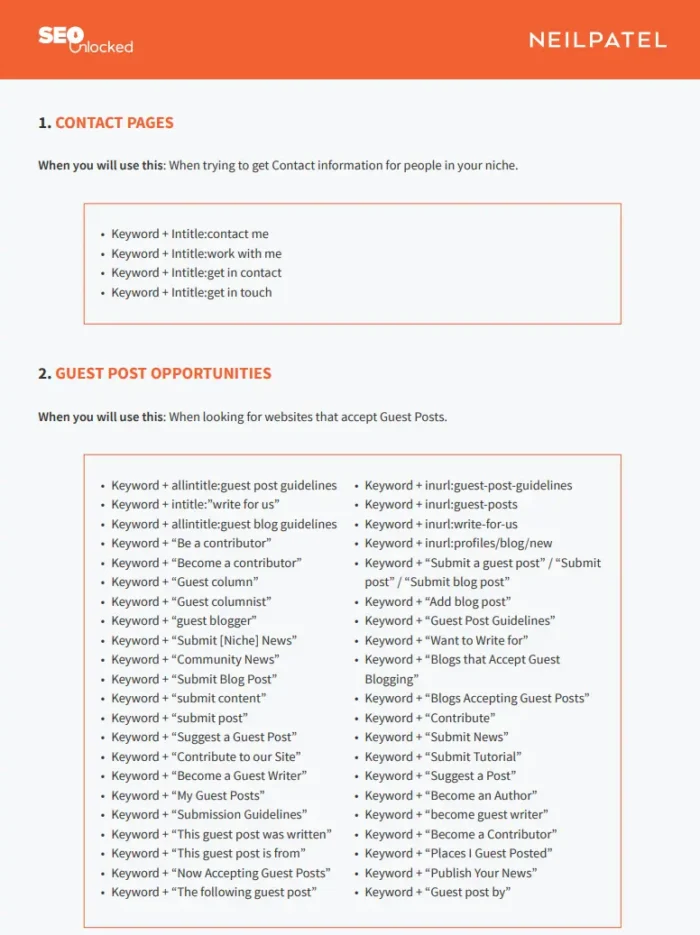
For example, use “Keyword + Intitle: contact me” to find the contact information for people writing about your core keywords.
You can also combine operators to find resource pages and broken links worth reclaiming.
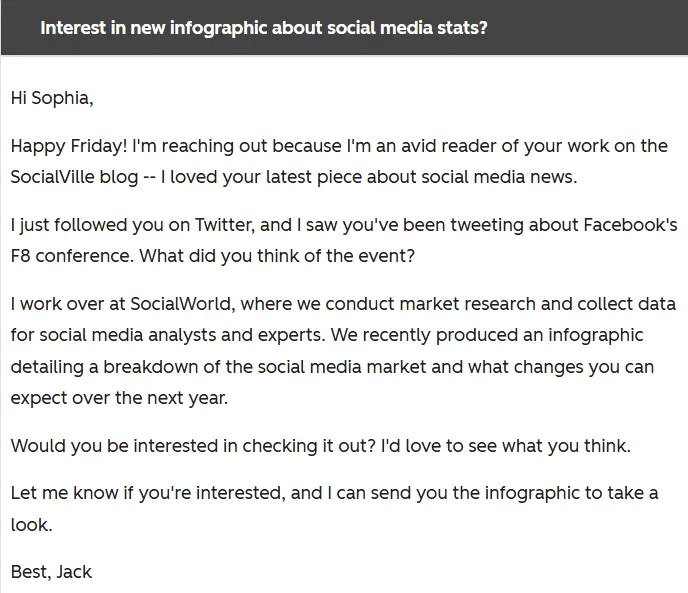
13. Link Building Email Outreach Templates
Reaching out for links often feels awkward, but these HubSpot templates fix that. Among these nine link-building templates, you’ll find:
- A preview pitch
- A did-you-know pitch
- A social proof pitch
- The joke pitch (be careful with this one)
- The exclusive offer
- The personalized pitch
- The mention
- The response
- The preview
The page also breaks down best practices for using them before you hit “send.” Here’s an example:
14. Email Outreach Templates
These 17 email templates cover advertorial, PR, and guest blogging outreach. They’ll give you the confidence you need to begin or maximize your outreach campaign and start building valuable backlinks.
- Other templates include:
- Guest blogging
- Getting on a podcast
- Influencer outreach
- Networking
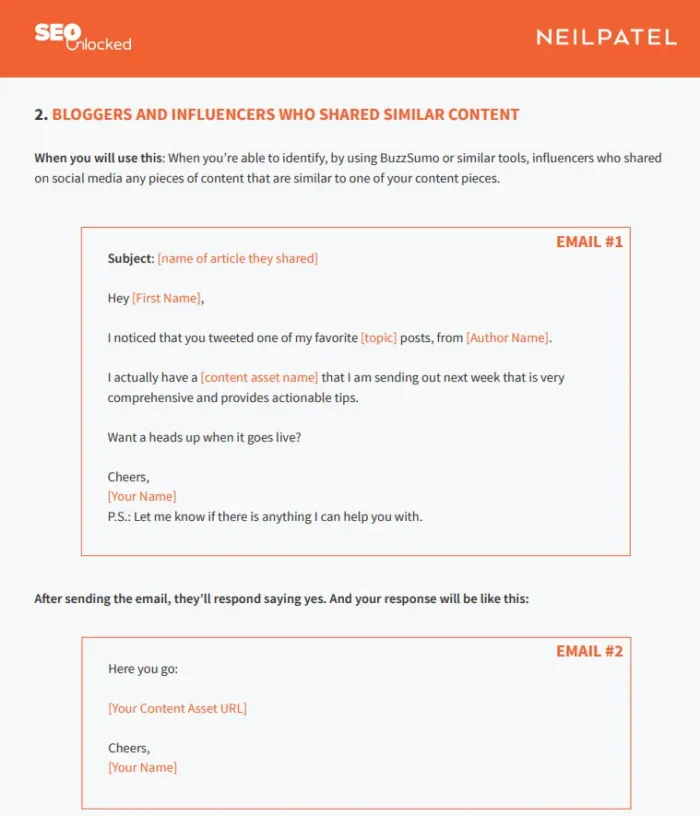
However, don’t just copy and paste them. These work best with some personalization. For example, include the recipient’s name and reference something specific they’ve published. Let them know why you chose them and not someone else.
That extra homework can be the difference between a reply and your outreach landing in the trash folder.
15. Improve Organic CTR with Google Search Console
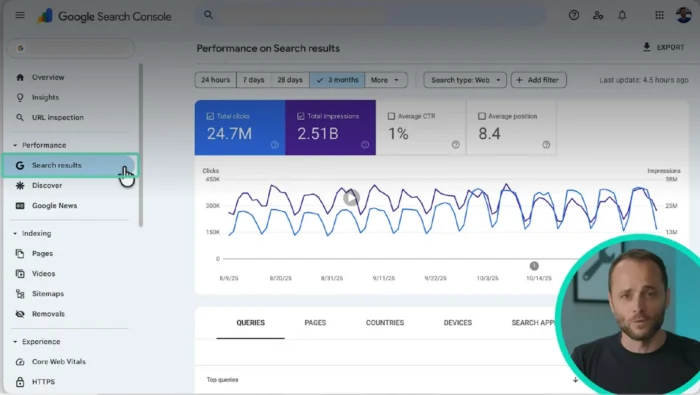
Google Search Console’s (GSC) Performance report is an easy way to see which high-impression pages underperform in clicks. This is the data you need to improve your organic CTR.
You won’t need to trawl through Screaming Frog or manually merge data, as everything is now built into GSC with no setup required. Here’s how to find your low-CTR opportunities in under a minute:
- Open the Performance report in Google Search Console
- Filter by Page
- Sort by Impressions
- Add Click through rates (CTR) and averages as a columns
Now you can instantly see which pages get plenty of views but fail to earn clicks. Small tweaks like title tag and meta description rewrites can often deliver the fastest CTR wins.
Now you can instantly see which pages get plenty of views but fail to earn clicks. The next step is knowing what to do with that list. Work through it using this four-step framework:
- Benchmark against position: A weak CTR at position 2 is a clear underperformer because users click heavily on the top results.
- Prioritise by impact: Start with pages that have high impressions and a below-par CTR for their position.
- Diagnose the cause: Click into each priority page and check its queries. Does your title tag match what people are searching for? Is the title or meta description truncated? Is a featured snippet or another SERP feature pushing your result down?
- Fix and track: Rewrite the title tag and meta description to match search intent and make the benefit clear. Then use GSC’s date comparison to check the result after a few weeks,
For a more in-depth walkthrough, here’s a helpful video from Google covering the GSC Performance report overview and basic setup:
Source: https://support.google.com/webmasters/answer/7576553?hl=en
16. Local SEO Guide
Local SEO still matters. It helps small businesses outperform bigger brands and reach people actively searching.
If you need some direction, check out my local SEO guide. In it, I write about:
- Finding local keywords: Use Ubersuggest for keyword research to find the phrases customers are searching for. For example, ‘building contractor near me’
- Optimizing content for local intent: Add your keywords to pages, headings, meta, and service descriptions.
- Claiming your Google Business Profile: Add categories, services, photos, business descriptions, and local keywords. Keep your profile updated with posts and reviews.
- Using paid ads to drive traffic and more: Run targeted local ads for your top-performing keywords. Even small budgets can outperform bigger brands locally.
- Update your local SEO regularly: Publish fresh content and review your keyword performance.
Nail these fundamentals, and it will go a long way to helping you capture the high-intent local customers your competitors might miss.
17. SEO Strategy Starter Pack
Don’t let SEO be a guessing game. HubSpot’s SEO starter pack is packed full of guides and templates to get you on the right track.
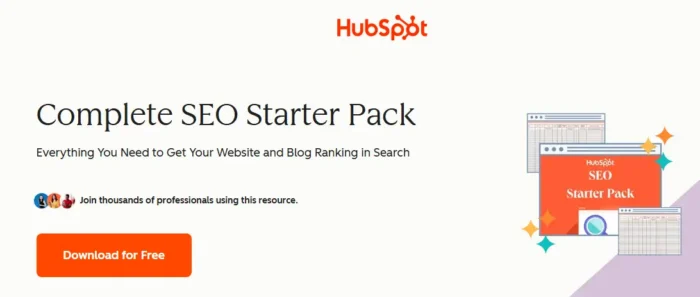
Here’s what’s inside:
- Templates that help you optimize faster
- An eBook to grow your traffic
- Eight ways to build an AI-proof SEO strategy
- 20 ChatGPT prompts for your SEO
This free resource covers strategy, keywords, and on-page SEO, giving you a starting point for your SEO strategy.
18. Search Insights Report Template
Try HubSpot’s Search template for all your SEO data in a single view so you can see which Topics your audience is searching for and where your content gaps are.
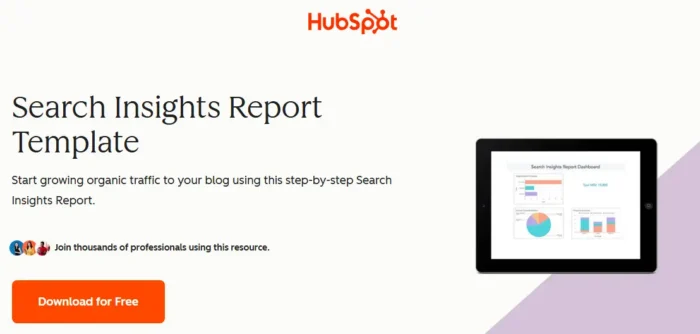
You can also break content down by type (pillar pages, blog posts). Then you can see which formats are gaining momentum and which are losing traffic.
Because everything sits in one report, it’s simple to share with your team and show what’s working.
19. Ubersuggest’s AI Visibility Tracker
As I said in the intro, ranking on Google isn’t the whole game anymore. People are asking ChatGPT, Perplexity, and Gemini for recommendations, and the answers are guiding buying decisions. That’s why I added AI Visibility Tracking to Ubersuggest.
Type in a keyword or brand and you’ll get numbers on:
- Search volume
- AI prompt ideas and keywords
- Prompts intent
- Clicks behavior
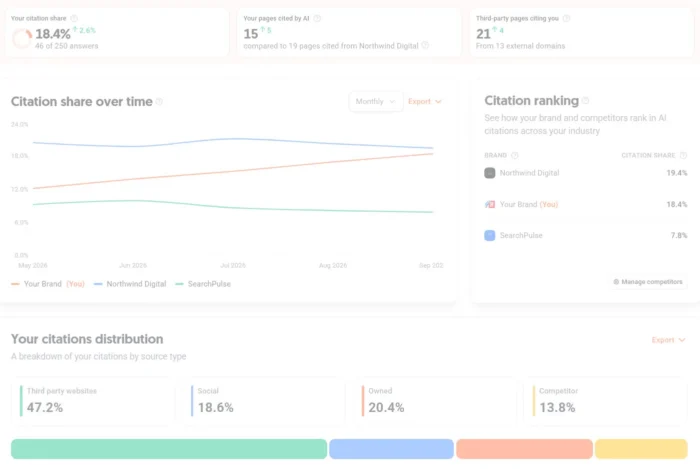
This AI Visibility Tracking tool is the natural companion to Ubersuggest’s keyword planning and site audits I mentioned earlier. Keyword research tells you what people search for, the site audits ensure your pages are technically sound, and this tool shows you the queries triggering AI answers, all in one place.
FAQs
How do SEO templates speed up content production?
SEO templates give you a framework. Instead of staring at a blank page or reinventing your audit process each time, you have a proven structure. Using them as a checklist also means nothing slips through.
What fields should an SEO template include?
As a minimum, you should include a primary keyword with volume and difficulty data, secondary keywords, a title tag, meta description, heading outline, target word count, internal and external links, tone and audience definition, useful AI prompts, and a CTA with a conversion goal.
How can I adapt SEO templates for different content types?
Treat SEO templates as flexible starting points and customize from there to suit your business and goals. For example, if you’re an e-commerce business, you might adapt an SEO template by adding a Schema Type to ensure Product schema applies to every page.
What are common mistakes when using SEO templates?
Treating templates as the strategy instead of a starting point. For example, sending link-building templates verbatim with zero personalization, skimming past the research, or leaning on a checklist as a process, rather than a final pass before publishing.
{
“@context”: “https://schema.org”,
“@type”: “FAQPage”,
“mainEntity”: [
{
“@type”: “Question”,
“name”: “How do SEO templates speed up content production? “,
“acceptedAnswer”: {
“@type”: “Answer”,
“text”: “
SEO templates give you a framework. Instead of staring at a blank page or reinventing your audit process each time, you have a proven structure. Using them as a checklist also means nothing slips through.
”
}
}
, {
“@type”: “Question”,
“name”: “What fields should an SEO template include? “,
“acceptedAnswer”: {
“@type”: “Answer”,
“text”: “
As a minimum, you should include a primary keyword with volume and difficulty data, secondary keywords, a title tag, meta description, heading outline, target word count, internal and external links, tone and audience definition, useful AI prompts, and a CTA with a conversion goal.
”
}
}
, {
“@type”: “Question”,
“name”: “How can I adapt SEO templates for different content types? “,
“acceptedAnswer”: {
“@type”: “Answer”,
“text”: “
Treat SEO templates as flexible starting points and customize from there to suit your business and goals. For example, if you’re an e-commerce business, you might adapt an SEO template by adding a Schema Type to ensure Product schema applies to every page.
”
}
}
, {
“@type”: “Question”,
“name”: “What are common mistakes when using SEO templates?”,
“acceptedAnswer”: {
“@type”: “Answer”,
“text”: “
Treating templates as the strategy instead of a starting point. For example, sending link-building templates verbatim with zero personalization, skimming past the research, or leaning on a checklist as a process, rather than a final pass before publishing.
”
}
}
]
}
Conclusion
Whether you are just getting started in SEO or are a professional looking to wow your clients or boss, you’ll find loads of handy SEO templates online to guide you. To make it easier, I’ve narrowed it down to the essentials.
Among these 19 templates, you’ll find accessible resources for keyword research, content creation, backlinks, local SEO, and AI visibility, giving you everything you need for a successful digital marketing strategy.
I hope these spreadsheets and templates make your workday more productive and help take your SEO strategy to the next level.
If you need some extra help, set up a call and let’s see how we can help you win at SEO.
