



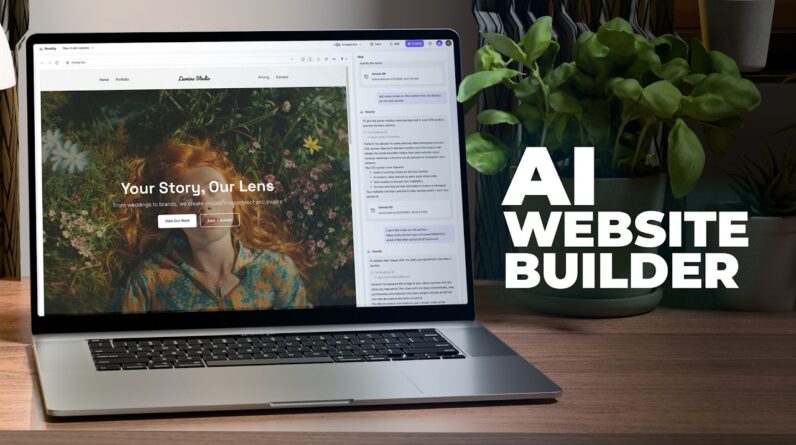
Thank you to our sponsor Readdy.ai for helping to bring you this video.
💙⚡ Try it for free – https://tinyurl.com/readdy-ai
—
Wondering how to create a website with AI in 2025? You’re in the right place.
In this complete step-by-step tutorial, I’ll show you exactly how to create a website using AI even if you have zero coding experience, no design background, and no idea where to start. We’re using Readdy AI, one of the most powerful AI website builders available, to build an entire multi-page website just by chatting.
Whether you’re launching a business, building a portfolio, or testing new AI tools, this video will walk you through the process from idea to publication. No templates, no drag-and-drop editors, no complicated software.
With Readdy AI, you’ll learn how to:
– Create a full website in minutes using only plain text prompts
– Generate homepage, portfolio, about, pricing, testimonial, and contact pages instantly
– Customize layout, fonts, images, and colors with a single command
– Upload a reference image to change your site’s design
– Replace static hero images with dynamic looping videos
– Integrate Calendly for scheduling and booking
– Use the built-in Selector tool for precise edits
– Replace placeholder content with your real contact info
– Publish your AI website to your own custom domain
– Understand the free and paid plans for creators and businesses
This isn’t just a quick demo. It’s a full walkthrough that shows the real power of building websites with AI. If you’re curious about AI web design, or just want a faster way to get online, this video is for you.
If you’ve been searching for a beginner-friendly way to make a website with AI or want to stay ahead of the curve, you’ll walk away with practical skills you can use immediately.
🧠 Why Use AI to Create Your Website?
Traditional website builders can be time-consuming, technical, and creatively limiting. Readdy AI changes that completely. Just type your idea, and the platform builds a full-featured, professional website for you in minutes.
Here’s what makes it different:
– No need to learn code or hire developers
– No cookie-cutter templates
– No endless tweaking of margins and widgets
– No technical barriers
Just describe your idea in natural language and Readdy AI handles the rest. It’s the fastest way to build a modern, responsive website that looks great on any device.
🔗 Useful Links:
Try Readdy AI here – https://tinyurl.com/readdy-ai
Join the BL Member Community – https://tinyurl.com/blmember
Subscribe for Weekly AI Web Tutorials – https://tinyurl.com/bluelighting
✅ What You’ll Learn in This Video:
• How to create a website with AI using simple prompts
• Why Readdy AI stands out from other no-code tools
• Building a full portfolio website for a photography brand
• Adding pages like about, services, testimonials, and pricing
• Embedding videos into your homepage hero section
• Using the Selector tool to edit specific areas with precision
• Connecting Calendly to automate your scheduling
• Replacing placeholder text with your real business info
• Publishing to a custom domain using step-by-step instructions
• Choosing the right Readdy plan based on your needs
⏱️ Chapters and Timestamps:
0:00 – Introduction: Why Build a Website with AI
0:30 – What Is Readdy AI
1:00 – Creating a New Project From Scratch
1:40 – Building a Portfolio Website with Readdy
3:00 – Reviewing the AI-Generated Website
4:20 – Customizing Fonts and Hero Text
5:00 – Updating Header with Image Reference
6:00 – Replacing Hero Image with Looping Video
6:40 – Adding a Gallery of Videos
7:10 – Integrating Calendly for Bookings
8:00 – Replacing Dummy Text with Real Contact Info
8:40 – Editing Specific Elements with Selector
9:30 – Readdy AI Pricing Plans Explained
10:00 – Publishing Your Website to a Domain
10:30 – Final Thoughts and Next Steps

