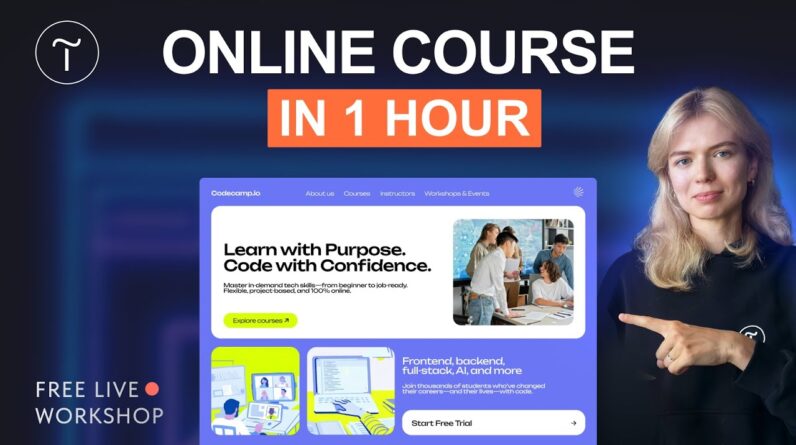
Ready to turn your skills into an online course—but don’t know where to start?
Join our free live workshop to learn how to build, structure, and publish your own eLearning platform using Tilda—even if you’re just starting out.
Learn how to:
✔️ Organize your content into a course structure
✔️ Manage student groups and control content access
✔️ Use various content formats to deliver materials
✔️ Grade assignments and track student progress
👉 Try Tilda: https://tilda.link/create-online-course
🌟 #madeontilda website gallery: https://tilda.cc/madeontilda
🪄 Free Animation Templates: https://tilda.education/en/web-animation-course
🤩 Free learning resource Tilda Education: https://tilda.education/en
✨ Upcoming live streams: https://webinars.tilda.cc/en
Follow Tilda on social media:
🔸 Instagram: https://www.instagram.com/tilda.cc
🔸 X: https://x.com/TildaPublishing
🔸 Facebook: https://www.facebook.com/tildapublishing
🔸 Telegram: https://t.me/tilda_global
Already using Tilda? Share your feedback at https://www.trustpilot.com/evaluate/tilda.cc
#websitebuilder #portfolio #freelance
00:00:00 Live Soon
00:01:20 Workshop Start
00:02:29 Workshop Plan
00:08:24 Practical: Landing Page Creation
00:10:06 Template And Content Setup
00:14:38 Finalizing Landing Page
00:15:14 Course Introduction
00:16:05 Course Description
00:17:29 Speaker Info
00:20:08 Content Adaptation
00:21:52 Curriculum Overview
00:23:13 Landing Page Setup
00:25:53 Call To Action
00:27:02 Social Proof
00:30:09 Landing Page Completion
00:31:07 Site Settings
00:32:00 Course Structure Setup
00:33:19 Adding Video Lectures
00:37:09 Creating a Test
00:42:38 Text Editing And Image Insertion
00:45:02 Creating an Article
00:50:17 Managing Participants
00:50:49 Participant Registration
00:52:59 Group Settings
00:55:37 Assigning Course to Group
00:57:38 Course Structure Overview
01:00:15 Creating Tests and Homework
01:02:01 Assigning Tutors
01:05:23 Grading System Setup
01:06:30 Connecting a Payment System
01:07:21 PayPal Setup
01:09:17 Shopping Cart Setup
01:10:16 Publishing And Checkout
01:11:25 Workshop Wrap-Up
01:12:23 Social Media