Join our free workshop to level up your Squarespace website: https://www.squarestylist.com/learn
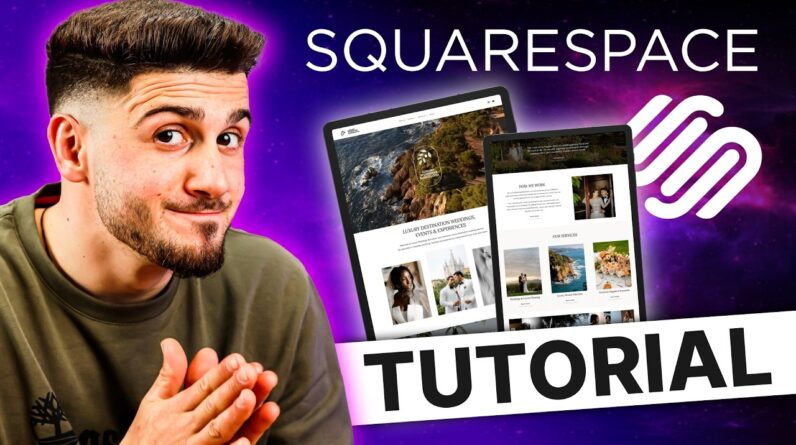
Build a stunning Squarespace website in under 1 hour! Complete step-by-step tutorial on how to use Squarespacefor absolute beginners.
In just 54 minutes, I’ll walk you through the entire Squarespace website creation process – from signing up to launching your professional site. No templates, no confusion, no wasted time – we’ll start with a blank canvas and master the essential building blocks that give you complete creative freedom.
⏰ WHAT YOU’LL ACCOMPLISH IN 54 MINUTES:
✓ Build a beautiful website with me
✓ Mobile-responsive design
✓ SEO-optimized structure
✓ Professional branding setup
✓ Ready to launch!
✺ What You’ll Learn:
– Smart project setup with PixResize & Copyspark AI free tools
– Master Squarespace Blocks & Fluid Engine
– Mobile-responsive design techniques
– Font hacks & professional styling secrets
– Advanced sections: Gallery, List, Classic Editor
– Build blogs, portfolios & online stores
– Header/footer customization
– Pre-launch testing & domain setup
By the end, you’ll have the confidence to create unique, professional websites that stand out—the same foundation our Standout Squarespace students use to launch successful design businesses.
✺ Free Tools & Resources:
– PixResize: https://pixresize.com/
– Copyspark AI: https://www.squarestylist.com/copyspark
– Start with a Blank Demo: https://www.squarespace.com/templates/blank-fluid-demo
– Palette Picker: https://www.squarestylist.com/palette-picker
– Launch Checklist: https://squarestylist.myflodesk.com/checklist
– Elegant Squarespace Fonts: https://www.squarestylist.com/blog/font-pairings-squarespace
– Creating a Testimonial Carousel: https://www.youtube.com/watch?v=vEMkjebLmG4&t=1s
– Setting up a Squarespace Blog Paywall: https://www.youtube.com/watch?v=refMY44dXW0
– Adding custom fonts with FontWiz: https://www.youtube.com/watch?v=F0lp9feTAiQ
✺ Access our Free Squarespace Workshop
Secrets to High-End Squarespace Projects: https://www.squarestylist.com/learn
✺ Ready to master Squarespace?
Standout Squarespace: https://standoutsquare.space/
✺ Timestamps:
01:35 Smart Project Setup
05:34 Master the Squarespace Blocks
12:06 Assigning Heading Levels
15:31 Mobile Layout Adjustments
16:38 Styling your Website Fonts & Colors
19:21 Two Font Hacks: Scale Text & Miscellaneous Fonts
25:18 Fluid Engine Section Settings
28:58 Advanced Page Building with Gallery & List Sections
32:58 Classic Editor Use Cases
37:15 Collection Pages (Blogs, Stores, Portfolios, Events, Videos & Courses)
37:59 Setting up a Blog
41:05 Setting up a Portfolio
42:54 Setting up a Store
46:28 Customize the Header & Navigation
49:12 Customize the Footer
51:27 Connecting Domains to Squarespace
52:10 Choosing a Squarespace Plan
52:45 Learn more in our free workshop ‘Secrets to High-End Squarespace Projects’: https://www.squarestylist.com/learn
#Squarespace #SquarespaceForBeginners #WebsiteDesign #SquarespaceTutorial #FluidEngine #WebDesign #SquarespaceExpert #StandoutSquarespace