

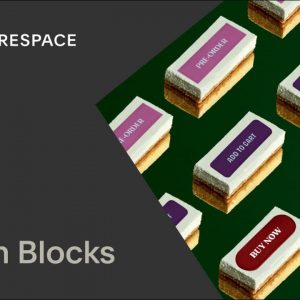
Using Button Blocks Tutorial | Squarespace 7.1 (Fluid Engine)
Use button blocks to add buttons or calls to action to your site. Button blocks can link to pages on your website, other websites, downloadable files, email addresses, or phone…
Read More »
Background Images | Squarespace 1-Minute Tutorial
On some version 7.0 sites, you can add a background image to display behind your site content, creating a visual element to help set the tone for your site. For…
Read More »
Fluid Engine | Squarespace 1-Minute Tutorial
Fluid Engine is Squarespace’s newest content editing system for Blocks and Block Sections. Get started on your Squarespace website at: https://www.squarespace.com For more Squarespace tutorials, visit: https://support.squarespace.com —- ABOUT SQUARESPACE…
Read More »
Calendar Blocks | Squarespace 7.1 Tutorial (Fluid Engine)
As you build your site with Squarespace, use calendar blocks to create calendars that display events from events pages in other areas of your site. Calendar blocks can also display…
Read More »
Background Art | Squarespace 1-Minute Tutorial
You can add unique background art to page sections instead of an image or video. Choose an animated pattern for a lively look, or choose a more subtle color gradient….
Read More »
Color Palettes | Squarespace 1-Minute Tutorial
Whether you prefer a black-and-white theme or daring color combinations, you can use site styles and section styles to change your site’s colors. For more information on color palettes, visit:…
Read More »
URL Redirects | Squarespace Tutorial 7.1
As you build your site, you can create URL redirects to forward visitors away from pages that don’t exist to active pages. This can be for permanent changes (301 redirects)…
Read More »
Scrolling Blocks Tutorial | Squarespace 7.1 (Fluid Engine)
Use scrolling blocks to add text that scrolls horizontally across the page, similar to a theater marquee or news ticker. This is a great option for adding visual flair to…
Read More »
Duplicating a Website | Squarespace 7.1 Tutorial
You can make a copy of a Squarespace site by duplicating it. In this video, learn how to duplicate a site and what content copies over from the original. Get…
Read More »
Page Sections | Squarespace 7.1 Tutorial (Fluid Engine)
You’ll build your site’s pages and footers with customizable sections stacked vertically. You can add, delete, and move sections to arrange your content. In this guide, you’ll learn about what…
Read More »